Next MBA Cohort Starts Monday, July 6th, 2026

Review Pricing and Join the Cohort

CTO Academy Logo
Log In

Category: Technology Leadership

  • CTO’s Role in Cybersecurity: Complete Guide

    CTO’s Role in Cybersecurity: Complete Guide

    This guide provides a comprehensive overview of the responsibilities of a CTO in ensuring their organisation’s cybersecurity. It covers the following topics:

    • Specific duties and tasks regarding cybersecurity (eg, developing security strategies, implementing security measures, managing security teams, etc).
    • How does the CTO collaborate with other roles such as the CISO (Chief Information Security Officer) or CIO (Chief Information Officer)?
    • The skills and knowledge you need to be effective in cybersecurity.
    • Best practices and resources to improve your organisation’s security posture.

    As a specialised educational institution for Chief Technology Officers, we recognise specific parts of this subject as particularly challenging and, therefore, address them in more detail to show you how it’s done in practice. 

    Your company may or may not have an officer responsible for leading incident response and safeguarding against active threats (eg, CISO), especially if you are a start-up CTO. Hence, some duties that commonly fall under the CISO umbrella (namely in larger organisations), are, in fact, your responsibilities. 

    Specific Duties and Tasks a CTO Handles Regarding Cybersecurity
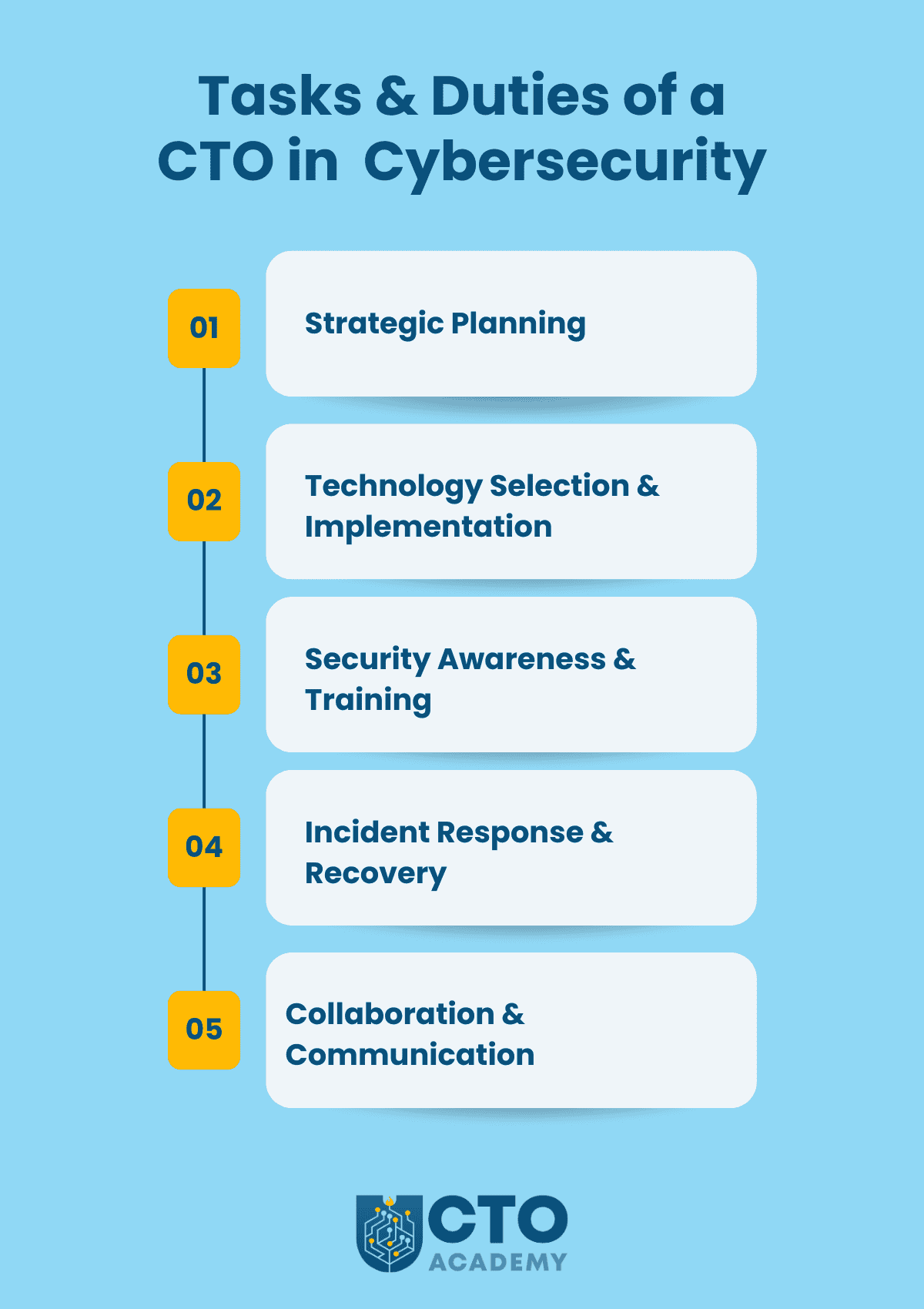
    Tasks and duties of a CTO in cybersecurity - infographic summary
    (click to enlarge/download)

    The priority is to lay down a plan so we will cover this topic in more detail, starting with strategy development. 

    1. Strategic Planning

    Strategy Development

    A cybersecurity strategy that doesn’t align with business objectives is like a car with a powerful engine but no steering wheel. Here’s how CTOs sync, develop and implement a comprehensive cybersecurity strategy:

    1. Understand the Business Inside and Out

    Dive deep into business objectives by going beyond just knowing the company’s mission statement. You must grasp the core business goals, revenue streams, growth plans and competitive landscape. 

    When, for instance, assessing the competitive landscape, ask questions like:

    • Are they expanding into new markets? 
    • Are they launching a new product? 
    • Is there an undergoing merger? 

    Each scenario has unique security implications.

    The next thing on the to-do list is to identify critical assets.  This could be customer data, intellectual property, financial systems or manufacturing processes. The point is to understand these assets’ value and their potential loss impact.

    Finally, assess risk tolerance. In other words, think about your organisation’s risk appetite. If you are in a start-up, you might be more tolerant of certain risks to facilitate rapid innovation. A financial institution, on the other hand, would prioritise strict compliance and data protection.

    2. Translate Business Objectives into Security Priorities

    Firstly, align security with business goals. If, for example, the business objective is to expand into e-commerce, the security strategy should prioritise secure payment processing, fraud prevention and data protection. If the goal is to enhance customer trust, the focus might be data privacy, transparency and secure communication channels.

    Once you have successfully aligned everything, quantify security investments.  

    As a CTO, you need to demonstrate the return on investment (ROI) of security measures. By default, this involves:

    • Translating security risks into potential financial losses.
    • Showing how security investments can mitigate those losses and support business growth.

    3. Develop a Comprehensive Cybersecurity Strategy

    The first order of business here is, of course, risk assessment. Your job is to:

    • Identify potential threats and vulnerabilities.
    • Assess their likelihood and impact.
    • Prioritise mitigation efforts based on the risk they pose to the business.

    Now you need to define security controls by implementing a layered security approach with a mix of preventive, detective and corrective controls. This could include:

    • Firewalls
    • Intrusion detection systems (automatic and manual)
    • Encryption
    • Access controls
    • Network compartmentalisation
    • Security awareness training

    In the final step, you must develop an incident response plan. This is where you define protocols for responding to security incidents, including communication protocols, recovery procedures and post-incident analysis.

    Make no mistake; the recovery time will depend on only two things:

    1. The quality and clarity of your IRP
    2. Response time

    A year ago, we experienced one of the worst attacks. The number of server requests skyrocketed causing our 1st layer of defence to completely block access to our website. Thanks to the well-defined and tested incident response plan, we recovered in less than 3 minutes. The plan clearly defined who does what in each scenario so when the alert arrived, the team member responsible for these types of incidents reacted according to the protocol and quickly restored access. The only thing we did post-incident was to re-evaluate our rate-limiting rules just to be on the safe side.   

    TIP: Ensure the strategy addresses relevant legal and regulatory requirements, such as data protection laws (GDPR, CCPA) and industry-specific standards.

    4. Foster a Security-Conscious Culture

    Employees are notorious for their complete disinterest in security. So as a CTO, it’s your job to promote and borderline enforce a security-first mindset across the organisation and a culture where security is everyone’s responsibility

    This involves regular communication, training programs and emphasising the importance of security in everyday operations. One way or another, you must equip employees with the knowledge and tools they need to identify and report security threats. 

    In our experience, the zero-trust policy is the best first-step approach. No matter who you are in the organisation; ie, what your rank is, you will, for example, A) use 2FA to access ANY resource without exception and B) not be allowed to create your passwords or log in outside SSO. This sends a clear message to anyone joining the team right from the start and therefore builds a strong foundation for the aforementioned security-first culture.

    Another thing you must clearly address and communicate is the BYOD policy. It comes down to a simple question: Do you allow access to the company’s resources via personal devices and if so, under what conditions? Always bear in mind that just one stolen and poorly secured device can provide unauthorised access. In many cases, an employee who lost the device won’t even report the incident due to fear of repercussions. 

    5. Continuous Monitoring and Improvement

    The cybersecurity strategy should be a living document that evolves with the changing business landscape and threat environment. So keep it updated and track key security metrics and performance indicators to assess the effectiveness of the strategy and identify areas for improvement.

    TIP: Always be prepared to adapt the strategy to new technologies, emerging threats and evolving business needs.

    Follow this process and you’ll ensure that the cybersecurity strategy is not just a technical checklist, but a strategic enabler that supports and protects the organisation’s core business objectives.

    Defining security policies, standards and procedures

    Step 1 – Start with a risk assessment:

    • Identify assets that require protection
    • Analyse threats
    • Evaluate vulnerabilities

    Step 2 – Develop security policies:

    • High-level principles (ie, overarching statements that define the organisation’s security stance and commitment).
    • Specific policies (to address particular security areas and provide more detailed guidance).

    Step 3 – Establish security standards

    Standards translate policy principles into actionable rules and help ensure that security measures are implemented consistently across the organisation. Some examples include:

    • Data Encryption Standard
    • Network Security Standard
    • Software Development Security Standard

    Step 4 – Define security procedures

    Procedures provide detailed instructions on how to perform specific security-related tasks. For instance, a procedure for reporting a security incident might include:

    • Who to contact
    • What information to provide
    • What steps to take to contain the incident

    Additional Tasks

    • Overseeing security architecture and infrastructure design.
    • Staying informed about evolving threats and vulnerabilities.
    • Conducting risk assessments and implementing mitigation measures.

    Technology Selection and Implementation

    Once the plan is ready, it’s time to put those words into action.

    First, evaluate and, ultimately, select security technologies and tools. They’ll be a part of your company’s technology stack so you are responsible for overseeing the implementation and integration of all those security solutions.

    TIP: Ensure that security is built into the design of new systems and applications.

    Security Awareness and Training

    • Promote a security-conscious culture within the organisation.
    • Develop and deliver security awareness training programs for employees.
    • Establish incident reporting procedures.

    Incident Response and Recovery

    • Lead incident response efforts in case of a security breach.
    • Oversee the investigation and remediation of security incidents.
    • Develop and test disaster recovery plans.

    Collaboration and Communication

    • Work closely with the CISO, CIO and other stakeholders to ensure alignment on security priorities.
    • Communicate with the board and senior management about cybersecurity risks and mitigation strategies.
    • Collaborate with legal and compliance teams to ensure adherence to relevant regulations.

    How the CTO Collaborates With Other Roles (eg, CISO)

    While the Chief Technology Officer is responsible for technology and its security implications, the CISO focuses on information security management. In other words, the CTO brings a broader technology perspective while the CISO provides specialised security expertise. There should always be a clear delineation of responsibilities.

    Convergence Points Between the Two Roles

    • Joint decision-making
    • Shared accountability 

    In practice, this means that they work together on security strategy, technology selection, incident response and other critical security matters. 

    Since both roles are accountable for the organisation’s security posture, they must closely collaborate to achieve security goals.

    The Skills and Knowledge a CTO Needs To Be Effective in Cybersecurity
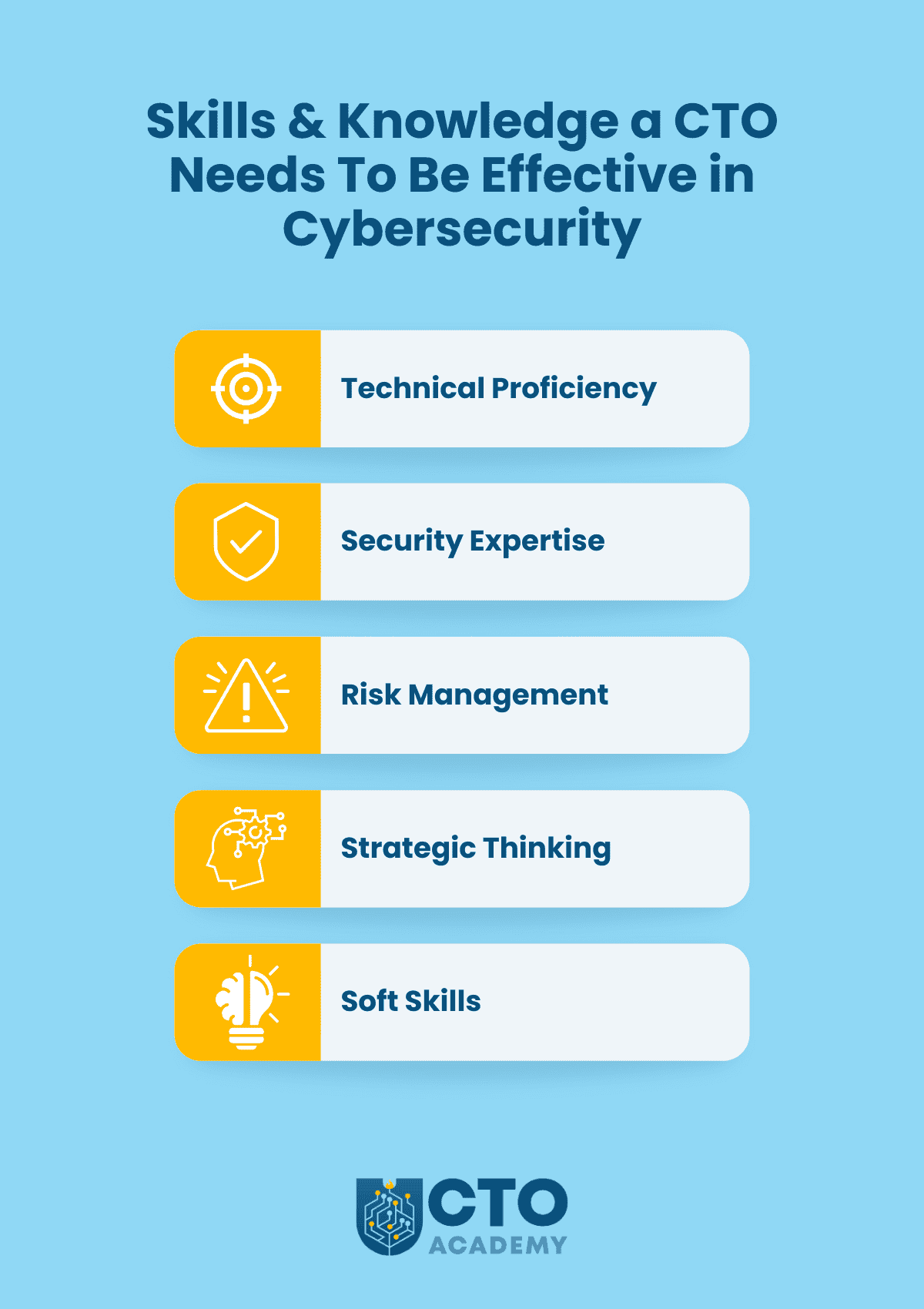
    Skills and knowledge a CTO needs to be effective in cybersecurity - infographic summary
    (click to enlarge/download)
    • Technical proficiency (ie, IT infrastructure, networks and security technologies).
    • Security expertise (cybersecurity principles, threats, vulnerabilities and best practices).
    • Ability to identify, assess and mitigate cybersecurity risks.
    • Capacity to develop and implement a comprehensive cybersecurity strategy aligned with business objectives.

    While technical prowess is important, much will depend on your communication and leadership skills. We are talking about those soft skills

    To succeed, you must a) effectively communicate security risks and b) build a security-conscious culture. These two processes occur simultaneously and lean on each other. The problem is that up-and-coming technology leaders often question the necessity of additional training just to find themselves in a pickle the moment they take on the role. 

    Best Practices and Resources to Improve the Organisation’s Security Posture

    • Keep up-to-date on the latest cybersecurity threats, vulnerabilities and best practices (eg, CISA Cybersecurity Alerts & Advisories, Krebs on Security blog).
    • Implement a robust security framework (eg, NIST or ISO 27001) to guide security practices.
    • Prioritise security awareness by investing in employee training and awareness programs to create a security-conscious culture.
    • Implement proactive security measures like threat intelligence, vulnerability scanning and penetration testing
    • Develop an incident response plan and ensure it is regularly tested and updated.
    • Leverage external resources (eg, industry associations, government agencies, security vendors) to stay informed and access best practices.

    CTO Cybersecurity Certification

    By pursuing relevant certifications and continuing education, CTOs demonstrate their commitment to cybersecurity which resonates with the boards. 

    Now, while there isn’t a single universally recognised CTO Cybersecurity Certification, there are several paths you can take to formalise and demonstrate your cybersecurity expertise. 

    The recommended route is choosing certifications with a CTO Focus. After all, if you’re in the gym, you want a whole-body workout, not just biceps training, right?

    The Digital MBA for Technology Leaders, offered by CTO Academy is designed specifically for technology executives and senior technology managers. Besides a broad range of technology and people management topics, our program includes a dedicated module on cybersecurity strategy, risk management and data governance. Lessons in Module 6 cover a range of subjects such as:

    • Risk Analysis
    • Business Continuity Plan
    • Data Privacy, Management and Deletion
    • Definition, Benefits and Outcomes of Information Management
    • DevOps Security
    • DevOps and Compliance
    • Data Leaks
    • Discussion Panel on “When to Start Panic”
    • Types of Hacks
    • Cyber and Security Testing
    • Remote Working & BYOD Stuff
    • The Foundation of Good Security
    • C-Level Security Education
    • Employee Education
    • Managing People, Security and Process
    • Outsourcing – Hybrid Working
    • RPA Solutions
    • Consuming Software as a Service
    • Reporting & Alerting
    • Information Management Round-Up
    • Monitoring Systems & DevOps Security
    • Process Bottlenecks

    Learn more about our Digital MBA for Technology Leaders

    Another path is taking broad cybersecurity certifications such as:

    The third option is to opt-in for specialised cybersecurity certifications:

    Finally, there are vendor-specific certifications related to their security products and solutions (eg, Cisco, Google Cloud, Microsoft, etc.).

    Now the key consideration here is relevance to the role. In other words, the choice will depend on your specific responsibilities and the organisation’s security needs.

    Conclusion

    Just keeping the lights on isn’t enough. The CTO’s role extends to strategic planning, infrastructure oversight, security policies and standards.

    But one of the, arguably, most challenging responsibilities is building a security-conscious culture. This is especially true for organisations that are undergoing digital transformation where there are no rooted habits.

    As a Chief Technology Officer, you act as a bridge between business objectives and cybersecurity implementation. You must ensure that technology enables the business while being protected from evolving threats. 

    Ultimately, your success in cybersecurity will be measured by your ability to protect the organisation’s valuable assets, maintain its reputation and enable its continued growth in the face of increasingly sophisticated cyber threats.

  • Tech Leadership in So Many Words…#28: Resilient

    Tech Leadership in So Many Words…#28: Resilient

    Resilience in technology leadership encapsulates more than enduring tough times; it’s about thriving amidst the many challenges and rapidly evolving scenarios that you’ll face.

    Successful tech leaders understand and sometimes anticipate the obstacles that will be placed in their path but can adapt their strategies and view failures as catalysts for growth.

    They’re able to maintain a clear vision, even under pressure, that enables space for their teams to remain motivated and focused.

    This is all part of the resilience required to achieve success as you need to take a proactive approach to change, continuously learning and integrating new technologies and methodologies to stay ahead.

    I have not failed. I’ve just found 10,000 ways that won’t work.” said a clearly resilient Thomas Edison and whilst we might not advise taking 10,000 attempts to get something right … in a world driven by constant innovation where adaptability is crucial, then building a culture with resilience and support at its centre can become a cornerstone of your success.

    Where CTO Academy can help …

    We can encourage you to become resilient, though clearly that comes from many other factors not least your intrinsic motivation.

    But we can help you make the most of it in your career by providing leadership courses, masterclasses, live sessions and community support.

    For more information: https://cto.academy/

  • Year In a Worklife of a Scale-up Chief Technology Officer

    Year In a Worklife of a Scale-up Chief Technology Officer

    Recently, we had Emily Castles, CTO at a scaling start-up, Boundless, joining us for her fourth CTO Shadowing session. She reflected on their journey over the past year and, by doing that, provided an exclusive look into the challenges of a scale-up Chief Technology Officer who has to recover from severe financial cuts and consequent team losses.

    Rebuilding the Teams

    A year before, the financial cuts at Boundless affected product and tech teams. The product team especially suffered and was reduced to virtually nothing. At that point, of the original eight team members (a full development team with a product manager), only she and one other developer remained.

    Having finally recovered from a period of downsizing and uncertainty, Emily focused initially on rebuilding the teams. 

    Now, the common scenario in start-ups is that employees have to cover areas outside their imminent scope of work. Emily quickly realised that, due to the specific nature of their products, they also needed a dedicated customer support person to offload work from HR and Payroll. With that addition, things finally got moving again. 

    Measuring Success in a Changing Landscape

    As the company scales, the CTO requires more concrete metrics to measure success. In Emily’s case, they’ve implemented a company scorecard to track key performance indicators (KPIs) and gain a clearer picture of the company’s health.

    The key metrics they were monitoring at this stage were:

    • Velocity
    • Customer engagement
    • Customer incidents

    Of course, it took a while before they got in a position to actually measure success. It is just one of the realities of being a CTO in a scaling start-up. Security, data protection and onboarding new (big) customers were priorities. So at that point, measures of success were qualitative. 

    However, after implementing a company scorecard, they ended up with 15 metrics, measuring success and accountability weekly with a 13-week testing period. 

    Her immediate challenge was to define product metrics. One of them was the velocity measure. In Emily’s experience, this was the best place to start even though it’s not the best tool for measuring productivity. 

    The second one was the service-specific customer engagement metric; in other words, it is custom-made for the type of services Boundless is offering, and it should resolve the issue they had in the past where they didn’t really know if people were using people or products to solve the problem. Its purpose is, therefore, to measure the number of operations happening on a customer level while interacting with the product.

    The final metric, this time from a project perspective, was customer incidents.  

    Besides measuring CSAT and NPS, Emily required insight into operational mistakes (eg, mistakes in payroll, a signed contract that has to be undone and redefined, bugs, etc.). The purpose was to immediately identify glitches in the system and improve the product/service. 

    You never know whether the thing that you’re about to measure is going to be right until you go and do it.  — Emily Castles, Boundless CTO

    As a scale-up CTO, you must always acknowledge the challenges of maintaining a culture of honesty and transparency as the company grows and the SLT becomes further removed from day-to-day operations. The emphasis must therefore be on open communication and public feedback channels to ensure visibility into potential issues. In practice, this means that if there’s a security incident (eg, breach) or anything like that, there should never be any kind of admonishment. You don’t want people sweeping problems under the carpet, after all, do you? 

    Third-Party Integrations and Outsourcing

    The immediate goal Emily is trying to achieve is eliminating the need to enter every information twice. Customers are putting a lot of data in their own systems, and then they have to put it into the Boundless systems as well. Granted, the company has various ways to pull data from one system to another but integrating with third-party HRIS systems seems like the best solution. So it has been a priority, but she’s struggled to identify the most critical problem to solve to decide which of the available solutions would be optimal.

    Another thing she’s currently evaluating is whether to use a unified API or integrate directly with individual providers. After all, the company plans to grow and a unified API might impose certain limits. 

    Emily is also considering outsourcing some aspects of the project, but she wants to keep core development work in-house while allowing external developers to work on the edges of the project.

    Operational Expenditures and Internal Tooling

    While operational expenditures haven’t been a major focus due to the company’s funding stage and relatively low operating costs, as the CTO, she is increasingly looking for ways to streamline internal operations and reduce the need for additional headcount. 

    As a part of that effort, she’s exploring no-code/low-code platforms like Retool and Microsoft Power Platform to build custom tools for internal teams.

    Quarterly Retrospectives and Looking Ahead

    Emily found the quarterly retrospectives with colleagues to be a valuable exercise, providing a structured opportunity for reflection and feedback. They also appreciated the external perspective and different language used in these sessions compared to internal meetings.

    Looking ahead, she is focused on continuing to scale the company’s operations and product development efforts while maintaining a strong culture of transparency and collaboration. She is also excited to explore new technologies and approaches to streamline internal workflows and improve efficiency.

    In the original shadowing session with Emily Castles, we explored the challenges and considerations of a CTO in a scaling start-up. It detailed topics such as:

    • Rebuilding and managing a development team
    • Implementing metrics and scorecards to measure success
    • Integrating with third-party systems and potential outsourcing
    • Managing operational expenditures and exploring internal tooling solutions
    • The value of retrospectives and external feedback

    As always during these sessions, attendees had the opportunity to ask questions and share knowledge and experience. So if you haven’t already, sign up for CTO Academy Membership to not only draw from the experience of seasoned technology leaders in different industries but to offer your own unique perspective. 

    Key Takeaways

    • Building and maintaining a strong team is crucial for success. Emily emphasised hiring and retaining skilled developers and a product manager to drive product development.
    • Metrics and transparency are essential for effective scaling. As the company grows, implementing clear metrics and maintaining open communication channels become increasingly important for monitoring progress and identifying potential issues.
    • Exploring new technologies and approaches can streamline operations. In Emily’s case, it involves investigating no-code/low-code platforms and other tools to improve internal workflows and efficiency.
  • Your First 90 Days in a CTO Role

    Your First 90 Days in a CTO Role

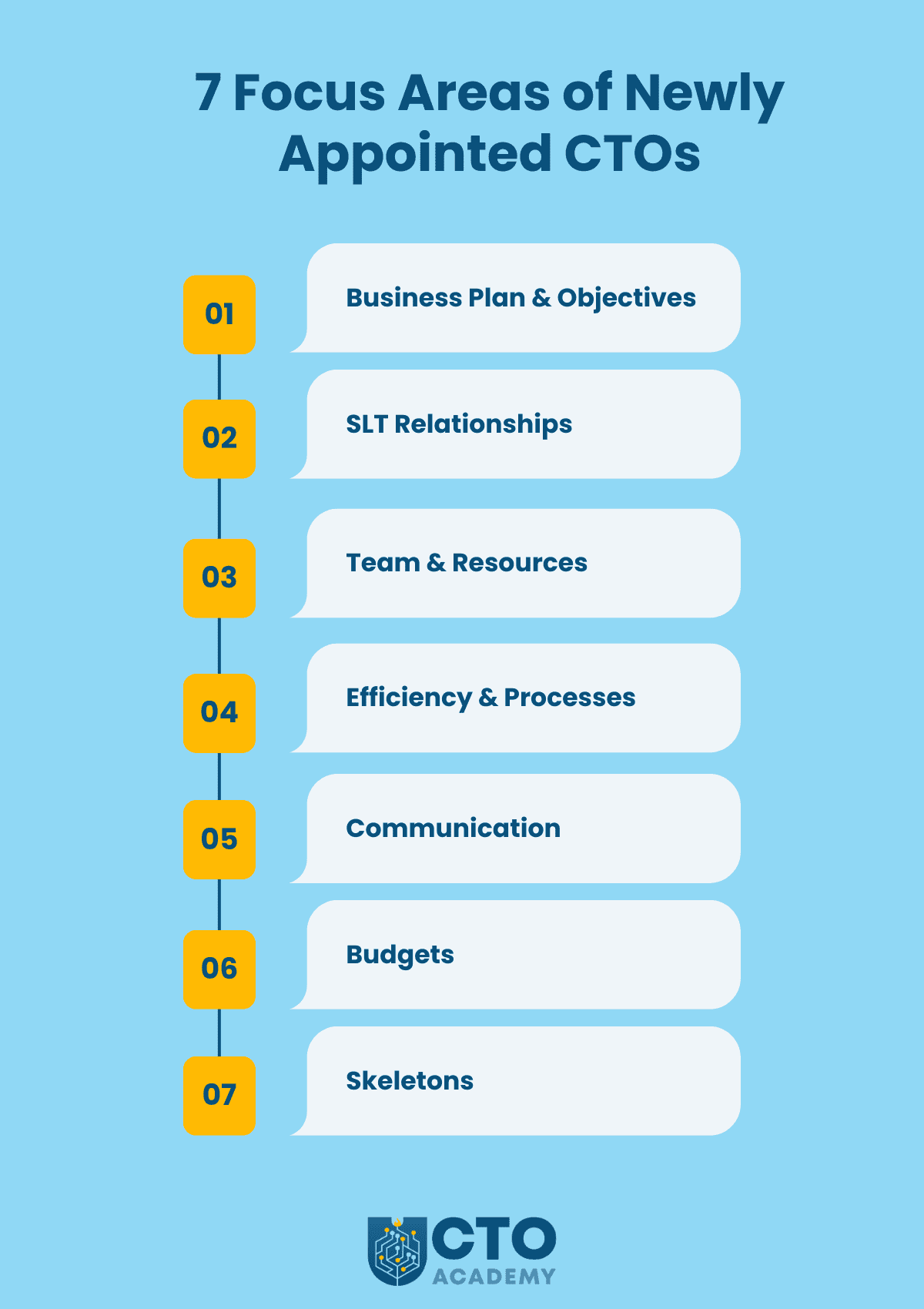
    Many tech leaders will start a new senior position, whether as a promotion or a new job at a new company. I know how daunting it is to take a new position. You can do as much research as you like, but there will always be surprises. On the bright side, you do have those first 90 days. During that time, there are seven key areas that you must focus on. 

    Why 90 days or three months?

    It’s a honeymoon phase during which you can still blame it on your predecessor (unless he’s your boss). 

    In my experience, these are the seven areas you should pay attention to.

    7 Focus Areas of Newly Appointed CTOs

    7 focus areas of newly appointed Chief Technology Officers - infographic summary
    Focus areas of the first 90 days in the role of a Chief Technology Officer

    1. Business Plan and Objectives

    The subject of an optimal strategy when joining a new company is covered in detail throughout our Digital MBA for Technology Leaders. Drawing from those lectures, you must first understand the company’s objectives and business plan.

    4 Main Elements of BPs and Objectives in General

    1. Vision (WHY)
    2. Mission (WHAT)
    3. Target (WHO)
    4. Strategy (HOW)

    In other words, the vision is the why, the target is the who, the mission is the what, and the strategy is the how. 

    Now, if the business strategy is not yet formalised, you’ll have to work out what each of these four is through implication. Furthermore, it would be best if you suggested to the CEO and SLT that a session be held to discuss and agree on all the points. 

    The main thing here is to align the strategy with tech. And here are two vivid examples of misalignment. 

    One of our lecturers took over a CTO  position in a company, only to find out that the plans weren’t aligned. The business plan was assuming the legacy of on-prem licensing, whilst the tech team was still building a SaaS platform. In another example, a CTO approached the COO asking for the business plan. However, there wasn’t one except the vague goal to make more money.  

    What do you do in such a situation as a newly appointed Chief Technology Officer?

    You must prioritise the requirements of alignment and work out the action plan

    2. Senior Leadership Team (SLT) Relationships

    The first thing you should do in this matter is to get to know your colleagues. In other words, make an effort to understand their individual priorities and comprehension of the business strategy. The latter is quite important because, as you’ll learn, each of them will give you a different answer. This, in turn, will give you a good overview of how well they are coordinated. 

    If discrepancies indicate a complete lack of alignment, initiate a quiet chat with the CEO because, one way or another, you must improve C-level communication. Why? It’s the only way to truly understand their perception of tech and subsequent priorities. 

    You may also find yourself in a situation where your SLT colleagues voice where your priorities should be. Feel free to disagree, but, at the same time, use that to build a better picture of what is required to support the business.

    3. Team and Resources

    The first step is finding the organisational chart of your department. Create one if necessary, simply to work out the composition of the teams. 

    Often, the team structure is based on historical circumstances, which may no longer be relevant to the work in progress and plans in general. So get to know your direct reports and team members. Learn their strengths and weaknesses to better understand the areas they need support with. Once you feel comfortable enough, take that org chart and confirm/update roles and responsibilities. 

    Whilst you are learning your team, contemplate the following few questions:

    1. Do you have the optimal skills across the team, or do people try to work on stuff they are not good at? 
    2. Is the team overstretched and, consequently, overworked/exhausted? There are three strategies you may pull if that’s the case:
      1. Culture change
      2. Setting (more) realistic expectations
      3. Hiring
    3. Do they feel they’re being fairly paid (may point to a morale issue)? While you are checking their remuneration packages, check if there’s a proper career review process in place. 
    4. Do you have enough people in the right place to deliver the strategy? If not, start planning and working out the change.
    5. Is there anyone leaving soon? You might find yourself in a situation similar to mine, where both of my lead developers leave at the end of my first week in the bank. In that scenario, make the effort to convince them to stay for a little longer as I did. 
    6. Is anyone rejoining (eg, maternity/paternity leave, sabbaticals, and similar)?
    7. Is there deadwood (common in larger, predominantly public organizations)? If so, remove it immediately and re-route the resources. These folks are notorious for their resistance to change, and you really don’t want that, do you?
    8. Another thing to look for when it comes to team management of an inherited team is diversity. In other words, does the team reflect a healthy mixture of a wider society? If not, put in motion the hiring plan. 

    4. Efficiency and Processes

    Is the output meeting your expectations? What is your gut feeling telling you? Are you getting a return on your investments? Is there something you must improve right away?

    Do processes exist, are they correct, and are they being followed? 

    One of my friends joined a large company a few years ago and inherited a fairly large team. They were sending one release to the testing team every couple of days. He thought the cadence was far too slow, so he decided to get his hands dirty just to understand what was happening within the CI/CD. It turned out that it was a terrible implementation, but no one had bothered to fix it, as the expectations had been set. He immediately changed things around, and they were building tens of releases every day for testing. 

    The bottom line is that if the processes aren’t working for you, you’ll need to fix them. However, that won’t come without pushback. So you’ll need your team leads to not only drive but also own the change. 

    5. Communication

    There are two types of communication I’m referring to here: within the tech team and to the wider company. 

    You see, there might be some false beliefs caused by bad communication. This is commonly caused by teams that are using Slack private channels to discuss tickets, which, consequently, makes it difficult for others to understand the decision-making process.  

    The only way you’re going to solve this is to move discussions to tickets directly – without exception. It is something that I mandate on all my projects. 

    Additionally, analyse Slack plugins and remove unnecessary ones because they produce a lot of messages that quickly turn into noise and distraction. For example, I have ten workspaces in my Slack, and I’m simply forced to mute a lot of channels just to focus on the work at hand. 

    What I’m trying to say here is that Slack is a great tool, but do mind the correct usage of any tool at your disposal.

    6. Budgets

    Budget can often be foisted upon you with minimal input from you and your team. If this is the case, figure out the flexibility and calculate whether or not you are within, over, or under the budget at the precise point. 

    Here’s a wild story from the public sector that vividly depicts such a problem. A friend of mine joined the team and found out that the budget was significantly underspent. However, if she did not spend it all, the following year’s budget would be cut, and she would therefore have significant problems going forward. So she decided to spend the existing budget by buying a new computer for everyone involved in the project. This simple solution solved her budget problem, and she quickly gained respect across the organisation.    

    Therefore, if you find issues that require expenditure to fix them, you need to understand the budget.

    7. Skeletons in the Closet

    The question you need to ask yourself is: Are these (inevitable) skeletons relevant?

    One of our Global CTO Community members quickly realised that he was taking the CTO role in a company that was, effectively, an understaffed and disorganised mess. He spent a lot of time with the CEO trying to work out how they were going to get out of that mess. The problem was that the CEO was open and honest, but not technical, and the skeletons in this case were the code repositories.

    Long story short, someone put more than one product into the same repository. Naturally, everyone assumed there were only two, but it turned out there were three. The skeleton that was serious and relevant was that for one of their products. They did not have ownership of the repository. The real owner, an ex-employee, kept saying he would hand it over, but it dragged on and on and caused a significant problem for the company. 

    So how do you find such skeletons? 

    If something doesn’t make sense, then dig. You need to listen and watch for changes in body language, voice tone, or vagueness. It is the latter that I use the most often. If something is vague, they either don’t understand it or they’re trying to cover something up.    

    Ask questions such as: ‘What does that mean?’ or ‘Why is that process in place?’

    By pre-qualifying, you are disarming them. Ultimately, you are going to create a plan and a roadmap, which you may keep to yourself, but should be made up of immediate, medium- and long-term recommendations.

    In Summary

    Immediate recommendations are a high priority. And those that are severe, you should have already actioned. 

    Once you have a plan, you can implement solutions using all the relevant skills and tools (explained elsewhere in the course). However, if after 90 days, you’re still struggling to understand the business processes or people, then maybe this is not the right fit for you. 

    To sum up, having a concrete plan within these first 90 days gives you a good foundation to become a successful tech leader in your organisation. Remember: business plan and objectives, SLT relationships, team and resources, efficiency and processes, communication, budgets, and skeletons. These are your immediate focus areas.  

    Get the IT Career Path Roadmap (Free PDF)

    Want more than scattered ideas? Get our IT Career Path Roadmap PDF – an 8-step framework to map your next roles, sharpen your skills, and build a layoff-resilient tech leadership career. Fill in the form and we’ll send you the PDF version so you can download it, annotate it, and use it as a living plan for your next career moves.

    Downloading the ebook does not automatically subscribe you to our bi-weekly Technology Leadership Newsletter.

  • Tech Leadership in So Many Words… #27 – Inspirational

    Tech Leadership in So Many Words… #27 – Inspirational

    In tech, “Inspirational” means sparking passion and pushing for breakthroughs, not just through words but actions.

    For example, inspirational leaders empower and help others discover how to overcome obstacles, welcome new ideas, and see mistakes as learning chances. They build teams that believe in their power to make a difference, guiding them with a clear vision yet giving them space to innovate.

    This approach transforms challenges into opportunities, making the journey towards achieving goals a source of inspiration itself.

    Looking up at inspirational industry leaders, here’s a quote from the late Steve Jobs to provoke your thoughts.

    “Innovation distinguishes between a leader and a follower.” – Steve Jobs

  • CTO Priorities in Start-ups and Fast-Growing Businesses: Exploring New Frontiers

    CTO Priorities in Start-ups and Fast-Growing Businesses: Exploring New Frontiers

    This work not only discusses CTO priorities and focus areas but goes beyond, introducing emerging technological trends that could soon become your top interest as a Chief Technology Officer. It provides insights into established and emerging technology priorities, focusing on innovative solutions for enhanced productivity, operational excellence and growth. 

    The reason for that is a new set of challenges every technology leader faces especially during the process of digital transformation. The scope of responsibility has expanded far beyond tech management and now encompasses innovation, strategy and cultural leadership. In other words, agility, adaptability and a growth mindset are now the three determining factors of success – in start-up and fast-growth environments equally. 

    We start with the core priorities of start-up CTOs and then move to scaling for success in fast-growing businesses. From there, we explain how to boost productivity with innovative solutions and, finally, take a quick look into emerging technologies for competitive advantage.  

    Remember, we don’t just tell you what to do; we also explain how using real-world examples.

    To learn details about the responsibilities of a Chief Technology Officer (and CTO role in general) in start-up and fast-growing organisations, refer to this guide. 

    Core Priorities for Start-up CTOs to Build a Strong Foundation

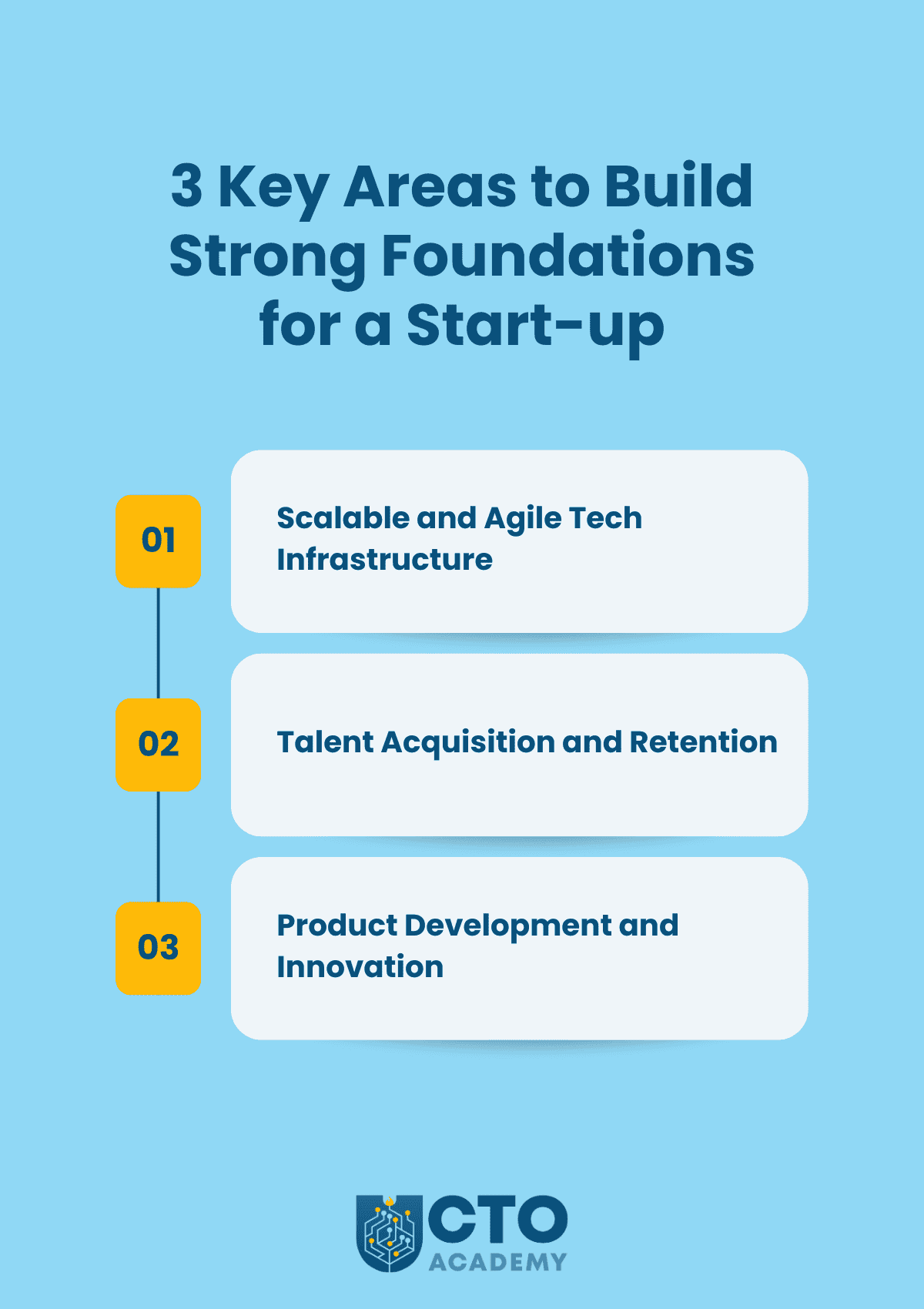
    Top 3 CTO Priorities in Start-ups

    To build a strong foundation in any type of start-up, you must focus on three key areas:

    1. Scalable and Agile Tech Infrastructure
    2. Talent Acquisition and Retention
    3. Product Development and Innovation

    Scalable and Agile Tech Infrastructure

    As a start-up CTO, your priority is establishing a robust tech infrastructure that can scale with the company’s growth (while complying with business objectives). Here, a cloud-native architecture may easily become paramount, offering the flexibility to adapt to changing demands without the constraints of physical hardware. 

    The real question is how can a company in a start-up stage of development adopt the cloud-native architecture.

    The first step is defining clear business goals and understanding the functional and non-functional requirements of the system. This clarity will guide your choice of architecture and technology, ensuring that the infrastructure supports the start-up’s vision and growth while not going overboard, incurring unnecessary costs. 

    Adopting cloud-native design patterns and adhering to well-architected frameworks are crucial steps in this process. These patterns and frameworks provide a blueprint for building resilient, scalable and maintainable systems that leverage the full potential of cloud resources. 

    Continuous integration and continuous delivery (CI/CD) practices are also essential, enabling frequent updates and maintenance with minimal downtime. 

    By focusing on these principles, you create a cloud-native environment that is both agile and capable of scaling to meet future demands.

    What About Microservices and Flexible Data Management?

    Microservices play a vital role in this environment, allowing for modular and independent development of services that can be updated or scaled without affecting the entire system. 

    Furthermore, flexible data management systems provide the agility needed to handle the influx of data that accompanies rapid expansion. For example, in start-ups, you’ll most likely prioritise cloud-based data storage, analytical tools and APIs for agile data integration. But when your company starts growing, your focus will shift to data warehousing, machine learning (AI-driven analytics), data governance and compliance. 

    By prioritising these elements, CTOs ensure that their technology infrastructure is not only resilient but also primed for the future, supporting continuous innovation and growth.

    Of course, none of this will exist and/or work without a well-tuned team. Hence, the second priority: 

    Talent Acquisition and Retention

    By now, we have all become aware that salary, while bearing immense importance, is not the predominant factor in talent acquisition and retention. That’s why we mentioned cultural leadership earlier.

    So, as a start-up CTO, you must:

    • Come up with competitive and innovative compensation packages
    • Support flexible work arrangements
    • Prioritise diversity and inclusion
    • Create a collaborative culture 
    • Nurture employee growth

    Easily said than done, right? 

    Okay, let’s break this down a bit.

    Compensation Packages

    To learn more about remuneration packages, read this guide (effectively, a lecture summary from Module 1 of our Digital MBA for Technology Leaders). It will give you more than enough ideas of how to best design compensations for your new and existing employees. 

    Flexible work arrangements…

    Yeah, that can easily backfire when you least expect it. Nonetheless, the new generation of engineers practically demands it and in most instances, you won’t have a choice but to smartly design one or more of the following options:

    1. Remote Work Option or allowing employees to work from anywhere. Granted, it does cut costs and reduce commuting stress. GitLab, for example, adopted a fully remote work model (just like CTO Academy, by the way). It allows us to attract talent from around the globe. The main challenge here is maintaining the necessary discipline and accountability to avoid breaching deadlines. Another potential issue is conveying the same cultural postulates to every team member to ensure cohesion.
    2. Flexible Hours or allowing employees to independently choose when to start and end their workday. Some of us are simply more productive in the late afternoon and evening, that’s all. Buffer, a social media management platform, is a good example of how flexible work hours lead to improved productivity.  
    3. Compressed Workweeks or reducing the work week to less than 40 hours like, for instance, Basecamp and Wildbit have done. Although, truth to be said, limiting to only forty may be a good start given the fact that a 60-hour work week is pretty much normal in tech. 
    4. Hybrid Work Models or splitting between the office and remote. Joe Weider, senior vice president and CTO at Lincoln Financial Group, for instance, claims that as soon they introduce their hybrid work model, they start to get a lot more interest. In his experience, employees place a high value on flexibility of location.

    Fostering a Collaborative Culture and Nurturing Employee Growth

    You can build a highly collaborative culture with just three initiatives:

    1. Encouraging open and transparent communication
    2. Valuing employee contributions
    3. Promoting a shared vision

    When it comes to employee growth, you should address it through:

    • Continuous learning opportunities
    • Clear career development paths
    • Recognition of achievements

    It’s only now that we come to the third of our start-up priorities: product development and innovation. It is a logical prioritisation or priorities because you won’t innovate anything if you can’t attract and retain talent and if that talent misses infrastructure to do their magic. 

    Product Development and Innovation

    The journey from an innovative concept to a minimum viable product (MVP) is marked by the CTO’s ability to balance the need for speed with the imperative of quality. 

    Rapid prototyping and iterative development are key strategies employed to accelerate the product lifecycle while ensuring that each iteration meets the high standards expected by stakeholders. 

    This is where your leadership skills come to the fore as you must foster an agile and responsive R&D environment, where team members are free to experiment and learn from each iteration (which is not easily accomplished if you work with explosive chemicals, for example).

    However, the CTO’s work in continuous improvement extends beyond internal operations. It involves external collaborations with tech companies, universities or research institutions, leveraging collective knowledge and resources to enhance the start-up’s technological capabilities. This collaborative approach not only accelerates the innovation cycle but also ensures that the start-up remains competitive and, thus, ripe for fast growth. 

    Additional Start-up CTO Priorities

    • Budget and Resources Management
    • Aligning Technology Strategy with Businesses Strategy
    • Mitigating Technology Risks

    Scaling for Success: CTO Priorities in Fast-Growing Businesses

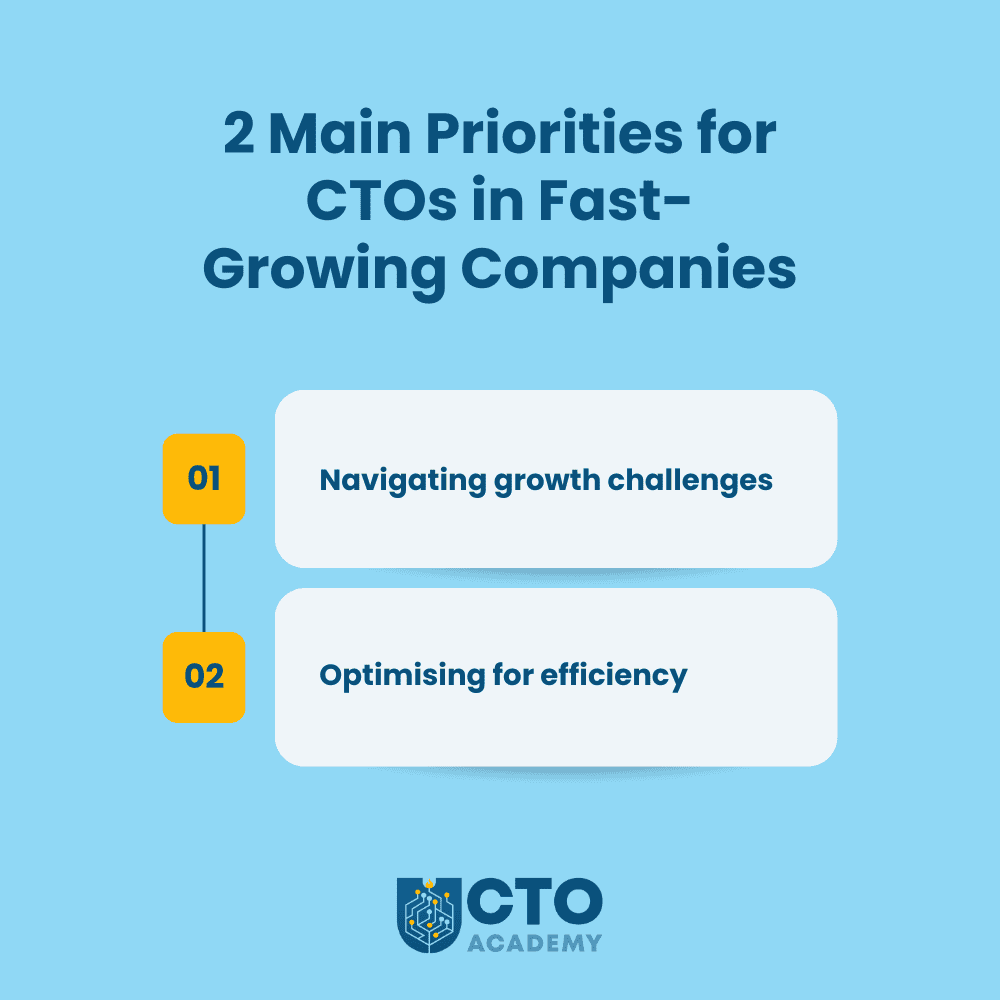
    2 Man CTO Priorities in Fast-Growing Companies

    There are two immediate priorities for Chief Technology Officers in fast-growing companies:

    1. Navigating growth challenges
    2. Optimising for efficiency

    So how and, more importantly, why do you optimise for efficiency?

    Optimising For Efficiency

    What was once a dynamic start-up can quickly turn into a slow-moving snail if you fail to optimise for efficiency on time. To prevent this from happening, focus on three key improvements:

    1. Process Automation and Streamlining
    2. Data-Driven Decision Making
    3. Cost Optimisation

    Process Automation and Streamlining

    AI-driven automation offers the ability to streamline complex processes, reduce human error and free up valuable human resources for more creative tasks. 

    By integrating AI with DevOps practices, CTOs can further improve the CI/CD process. Subsequently, software updates are developed, tested and released faster and more reliably. 

    This synergy not only accelerates development and deployment cycles but also ensures that the product evolves in close alignment with customer needs and market demands. 

    Ultimately, the adoption of these technologies and practices leads to a robust, agile infrastructure capable of supporting the rapid growth and scaling demands of modern businesses.

    Data-Driven Decision Making

    In many ways, optimisation for efficiency hinges on the ability to make informed, data-driven decisions. Data-driven decision-making lays the foundation for evidence-based strategy, minimizing risks and amplifying the innovation potential. 

    Robust data platforms and advanced AI-powered analytics provide a foundation for valuable insights from vast amounts of data. These insights enable CTOs to identify trends, forecast outcomes and allocate resources effectively, ensuring that technological investments translate into tangible business value. 

    One of the best examples of how to utilise AI in decision-making is a fast-growing online personal styling service, Stitch Fix. They have, effectively, created a completely autonomous self-learning system that consists of only three main components:

    1. Personalised Styling Recommendations generated by machine learning algorithms that analyse customer preferences, purchase history and feedback.
    2. AI-Powered Inventory Management helps Stitch Fix predict popular items and their quantity. This ensures they stock the right products, reducing overstock and stockouts.
    3. Customer Insights (data analytics from customer interactions and feedback) enable the company to identify trends and preferences. In turn, this allows them to tailor their offerings and marketing strategies more effectively.

    The outcome of this AI-driven loop is improved customer satisfaction, efficient operations and data-driven growth. Personalised recommendations lead to higher customer satisfaction and retention. Better inventory management reduces costs and improves operational efficiency. Finally, insights from AI-driven data analytics help Stitch Fix make informed decisions, enhancing both customer experience and operational efficiency. These insights are also fed to personalised styling recommendation algorithms, closing a loop.

    As we said, one of the major benefits of this approach is cost optimisation and that is always on top of the list of priorities of every technology leader. 

    Cost Optimisation

    The main approach here is to balance investments in innovation against cost-saving measures.

    Effective strategies include the adoption of a structured cost management framework, which enables CTOs to identify wasteful expenditures and reallocate resources towards high-impact technologies and initiatives. This involves a continuous cycle of evaluating existing assets for performance optimisation, thus ensuring that money spent contributes to the company’s strategic objectives. 

    It is also important to instil financial prudence within IT teams. In other words, you want to encourage them to align technology initiatives with broader business goals. By doing so, you ensure that your teams/departments are not only cost centres but also value creators.

    Now that you have successfully set the stage for increased efficiency, it’s time to grapple with the three most prominent growth challenges. 

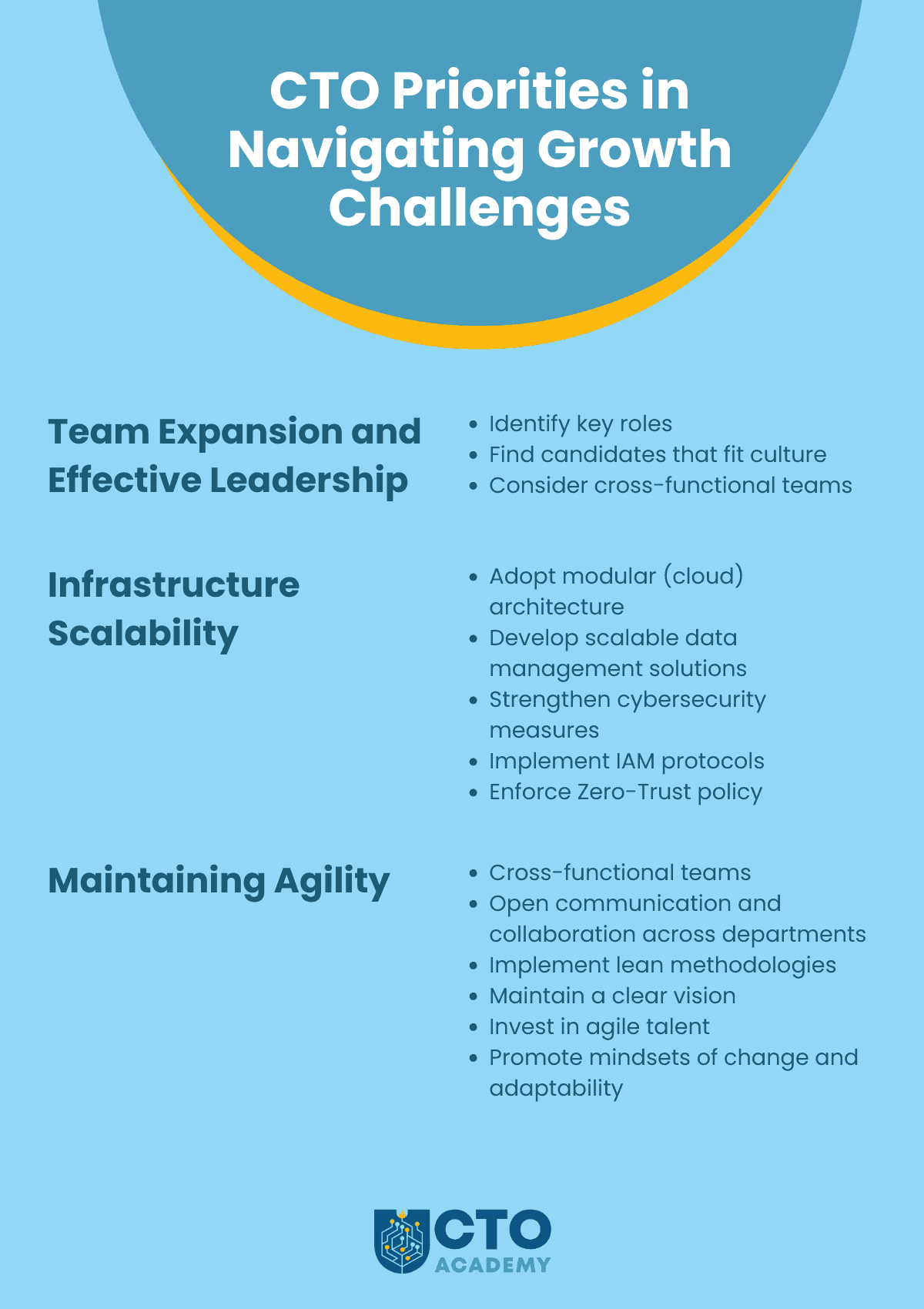
    CTO Priorities in Navigating Growth Challenges

    CTO Priorities in Navigating Growth Challenges - infographic

    Once your company hits the afterburner, it will be a far cry from that “garage-based” start-up environment where everybody knows your name and preferred kind of doughnut. 

    The first thing that will change is the number of hands hitting keyboards. 

    Team Expansion and Effective Leadership

    As a CTO of a fast-growing business, you should prioritise strategic hiring that aligns with the company’s long-term vision and values. This involves identifying key roles and finding candidates who not only have the technical skills but also fit the company culture

    Effective leadership means you must communicate transparently, set clear expectations and empower team members through delegation and professional development opportunities (consider implementing scalable processes and tools that promote collaboration). Also, consider cross-functional teams to encourage a free flow of ideas

    The main challenge here is preserving a cohesive culture. After all, staff changes are inevitable and only one team member with a superstar complex can ruin months of dedicated work. Therefore, reinforce the company’s core values but don’t forget to celebrate and reward individual team achievements. You want your team and every member to feel valued and, more importantly, heard. That’s how you build resilient teams. 

    But as the number of keyboard users increases, so does the need for the infrastructure. 

    Infrastructure Scalability

    To address this challenge, CTOs should prioritise the development of a flexible and scalable cloud infrastructure. This involves adopting a modular architecture that allows for the easy addition or removal of resources as needed, ensuring that the infrastructure can adapt quickly to changes in demand without compromising performance or security. 

    Data management solutions must also be scalable and capable of handling an increasing volume of data without losing speed or data integrity. Companies like Oracle and Informatica offer robust data management systems that can grow with the company’s needs. 

    Furthermore, as the team and customer bases expand, cybersecurity measures must be strengthened to protect against an evolving threat landscape. This includes conducting regular cybersecurity audits, educating employees on security best practices and implementing strong Identity & Access Management (IAM) protocols to ensure that only authorised users can access sensitive data. In addition to IAM, the Zero-Trust policy should be in effect without exceptions. 

    While effectively tackling team expansion and subsequent scalability requests, a CTO must still prioritise agility

    Maintaining Agility

    To preserve agility, CTOs should design a culture that values flexibility and continuous learning. This involves (but is not limited to):

    • Cross-functional teams that can quickly adapt to new technologies and market demands. 
    • Open communication and collaboration across departments (free flow of ideas and preventing innovation from becoming stifled by silos). 
    • Implementing lean methodologies to streamline processes, reduce waste and enable faster iteration. 
    • Maintaining a clear vision and aligning all efforts with the company’s strategic goals, ensuring that agility contributes to long-term success. 
    • Investing in agile talent and promoting mindsets of change and adaptability (ie, embrace change as an opportunity rather than a hurdle to transform challenges into growth drivers). 

    Additional Priorities of CTOs in Fast-Growing Companies

    • Strategic Technology Planning
    • Data Management and Analytics
    • Security and Compliance

    Boosting Productivity with Innovative Solutions

    AI-Driven Code Generation and Review

    Tools, such as GitHub Copilot and Tabnine, leverage machine learning algorithms to predictively suggest code snippets, functions and even entire blocks of code, which can significantly accelerate development cycles. 

    They improve code quality by suggesting best practices and identifying potential errors before they become problematic. 

    Shopify, for instance, utilises GitHub Copilot to assist with code completion, generate boilerplate code and suggest improvements. New developers at Shopify leverage the tool to understand codebases more quickly. The AI provides context-aware suggestions and explanations, making it easier for newcomers to get up to speed. This ensures that the teams focus on creative problem-solving and high-level strategic tasks, rather than getting bogged down with repetitive coding.

    Predictive Resource Allocation

    By leveraging ML algorithms, companies can predict and analyse trends, enabling proactive resource distribution that aligns with demand patterns. This predictive capability ensures equilibrium that supports sustained growth. 

    Furthermore, ML can streamline workload management by intelligently automating task scheduling, which minimises bottlenecks and maximises throughput. For instance, in cloud computing environments, ML models can forecast workloads and manage resources to improve efficiency and reduce operational costs. 

    Additionally, dynamic resource management techniques, such as auto-scaling and workload-aware scheduling, can significantly enhance the performance of ML workloads, leading to faster completion times and improved system throughput. 

    Gamified Collaboration and Knowledge Sharing

    360Learning, Slack and Miro are all prime examples of AI-powered collaborative/learning platforms. Combined, they boost productivity by streamlining communication, collaboration and learning processes.

    Say you are a CTO of a fast-growing tech company and need to onboard new developers while ensuring continuous learning and collaboration among existing team members. How do you do it?

    1. Onboarding:
    • New hires use 360Learning to complete onboarding courses created by experienced team members. These courses include interactive elements like quizzes and discussion forums to engage learners.
    • Gamified learning paths motivate new employees to complete their training quickly and effectively.
    1. Continuous Learning:
    • The platform allows employees to create and share courses on the latest industry trends and internal best practices.
    • Peer reviews and discussion forums foster a culture of continuous learning and knowledge sharing.
    1. Collaboration:
    • Teams use Slack for daily communication and project management, ensuring everyone stays connected and informed.
    • Miro is used for brainstorming sessions and project planning, allowing team members to collaborate visually and in real time.

    And voila! You have successfully enhanced productivity, improved onboarding and enabled continuous innovation. 

    Mental Health and Well-being Tech

    Microsoft recognised the need to support employee well-being, especially during the COVID-19 pandemic when remote work became the norm and stress levels increased. The company partnered with Headspace and Calm to offer guided meditation and mindfulness exercises to employees while implementing flexible work hours and remote work options to help them manage their work-life balance.

    The outcomes were improved mental health, increased productivity and higher job satisfaction

    Examples of Other Productivity-Enhancing Technologies

    • Serverless computing allows developers to build and run applications without the complexity of managing servers (eg, AWS Lambda).
    • Low-code/no-code platforms enable users with minimal coding skills to create complex systems, thereby democratising development and accelerating innovation (eg, Million Labs).
    • Blockchain-based credential verification offers a secure and immutable way to manage digital identities, ensuring the authenticity of credentials while reducing the risk of fraud (eg, Hyland). 

    The best thing is that you can match up blockchain technology and low-code platforms, or, on the other hand, build a serverless blockchain app with AWS

    Either way, the outcomes will remain the same: significantly enhanced productivity in start-ups and fast-growing businesses as a result of simplifying infrastructure management, accelerating application development, and improving security. 

    It comes down to a change mindset if you are not already using any of these technologies. 

    Speaking of change…

    Embracing Emerging Technologies for Competitive Advantage

    Adopting emerging technologies is quite often a strategic imperative. Some of them stand out due to their ability to enable a nuanced approach to data analysis, predictive modelling and decision-making processes that can significantly enhance a company’s competitive edge. Here are the most prominent ones:

    Conclusion

    The key takeaway here is simple: establish a robust foundation while staying agile to embrace new technologies. 

    Initially, your focus should be on building a strong technical base, ensuring that the architecture is scalable and can handle rapid growth. 

    As the business expands, you should prioritise scaling infrastructure and operations to support increased demand. 

    Remember, innovation is crucial because implementing cutting-edge solutions can significantly boost productivity and efficiency and, ultimately, provide a competitive edge.  

    However, it’s vital to balance these advancements with the core business needs, ensuring that technology catalyses growth, not a distraction. 

    Bottom line, the most effective CTOs balance immediate needs with long-term vision.

    Now is just the question of what CTO priorities will you tackle first? In case you are unsure, seek advice from fellow technology leaders.

  • Conflict Management in the Workplace

    Conflict Management in the Workplace

    In the tech industry, workplace conflicts are quite common. For instance, a study found that 85% of employees experience some form of conflict at work, with tech environments being particularly prone due to the high-pressure nature of the industry.

    One notable example is the frequent disputes over project strategies and technical disagreements. These conflicts, if not managed properly, can lead to a significant drop in productivity and morale. In fact, unresolved conflicts in IT teams can result in missed deadlines and project delays, ultimately affecting the overall performance of the team.

    The Concept of Conflict Management and Its Importance for CTOs and Senior Tech Leaders

    Conflict management is identifying and handling conflicts in a sensible, fair and efficient manner. 

    Conflicts can arise from a variety of sources, including technological challenges, resource allocation and interpersonal dynamics. 

    By resolving disagreements constructively, technology leaders can enhance team productivity and contribute to the overall health and performance of the organisation, leading to better decision-making, increased adaptability and sustained competitive advantage.

    Understanding Conflict

    What is Conflict From Both Positive and Negative Side?

    Conflict is, basically, any situation where there are opposing ideas, interests or forces. It is a natural part of human interaction that can arise in any context, from personal relationships to international relations. 

    While often perceived negatively, conflict also has positive aspects. It can catalyse change, innovation and growth, encouraging individuals and groups to re-evaluate their positions and find new, often improved, ways of doing things. 

    However, when left unresolved or managed poorly, it can lead to a breakdown in communication, damaged relationships and even violence. Thus, understanding the dynamics of conflict is essential for harnessing its potential benefits while mitigating its risks.

    Common Causes of Conflict in Tech Workplaces

    There are five main causes:

    1. Technical disagreements
    2. Deadlines and resource constraints
    3. Communication breakdowns
    4. Personality clashes

    Technical disagreements often occur when team members have divergent views on project strategies or technical solutions, reflecting the fast-paced and innovative nature of the industry. 

    Deadlines and resource constraints add another layer of stress, as teams must navigate the pressures of delivering complex projects within tight timeframes and often with limited resources. 

    Communication breakdowns are another critical trigger, where misinterpretations or lack of clarity can lead to misunderstandings and disputes. 

    Personality clashes stemming from diverse backgrounds can also contribute to tensions, as differences in work styles, values and expectations come to the fore. 

    Lastly, organisational change and restructuring represent a significant source of conflict, as they can disrupt established workflows and roles, leading to uncertainty and resistance among employees. 

    Managing these conflicts requires a proactive approach, focusing on clear communication, empathy and a willingness to find common ground to foster a collaborative and innovative work environment.

    The Cost of Unresolved Conflict

    Decreased productivity and morale are often the most immediate effects, as employees may become disengaged and less motivated to perform their duties effectively. 

    This disengagement can lead to increased employee turnover, which not only incurs costs associated with hiring and training new staff but also disrupts the continuity of knowledge and experience within the team. 

    Furthermore, ongoing conflict can severely damage relationships and team dynamics, creating a hostile work environment that stifles collaboration and communication. Such an atmosphere is detrimental to team spirit and can prevent the formation of strong, cohesive teams that are essential for achieving common goals. 

    Finally, unresolved conflict hinders innovation and growth, as it diverts energy away from creative problem-solving and strategic thinking, which are critical for adapting to market changes and seizing new opportunities. 

    Essential Conflict Management Skills for Tech Leaders

    Self-Awareness

    Self-awareness involves recognising one’s own emotional responses, communication style and behavioural patterns during conflict situations. 

    By understanding your personal conflict style, whether it’s avoiding, accommodating, competing, compromising or collaborating, you can anticipate reactions and adapt your approach to be more effective. 

    Additionally, being aware of personal triggers—specific words, actions or situations that may provoke a strong emotional response—allows you to maintain composure and think strategically during disputes. 

    This level of self-reflection not only helps in de-escalating potential conflicts but also in fostering a culture of open communication and mutual respect within the team. 

    Ultimately, self-awareness empowers you as a tech leader to transform conflict into a constructive dialogue, paving the way for innovative solutions and team growth.

    Active Listening

    Active listening, in the context of conflict resolution, involves fully concentrating, understanding, responding, and remembering what is being said. 

    This technique is not just about hearing the words, but also about understanding the complete message being conveyed. 

    Active listening allows leaders to grasp the nuances of the disagreement, showing respect and empathy towards the speaker, which can help de-escalate tensions. In other words, by actively listening, you can identify the underlying issues that are not explicitly stated, enabling you to address the root causes of the conflict rather than just the symptoms. 

    Furthermore, it fosters an environment where all parties feel heard and understood, which is essential for finding a mutually acceptable resolution. 

    Effective active listening in conflict situations also involves asking clarifying questions and paraphrasing back what has been said to ensure understanding, thereby facilitating a more open and productive dialogue.

    Empathy and Emotional Intelligence

    Empathy allows individuals to understand and share the feelings of others, fostering a sense of support and understanding

    Emotional intelligence, on the other hand, involves the ability to recognise, understand and manage one’s own emotions, as well as the emotions of others. 

    When you apply empathy and EI in conflict situations, you, effectively, facilitate a deeper comprehension of the underlying issues and emotions at play. This understanding is crucial because conflicts in the workplace are rarely just about the surface-level problem; they often stem from unaddressed emotional undercurrents such as fear, insecurity or frustration. By acknowledging these emotions, parties involved can move beyond mere transactional interactions and engage in meaningful dialogue that addresses the core of the conflict.

    Moreover, leaders who exhibit high levels of empathy and EI are better equipped to navigate the complexities of workplace disputes. They can create an environment where employees feel heard and valued, which can reduce the intensity of conflicts. Such leaders are also more adept at mediating disputes by guiding the conversation towards collaborative solutions rather than adversarial stand-offs. This approach not only resolves the immediate conflict but also builds a foundation for stronger relationships and a more cohesive team dynamic.

    In addition, empathy and EI contribute to a culture of open communication and trust, which are essential for innovation and creativity—key drivers in the tech industry. When team members feel emotionally safe, they are more likely to take risks and think outside the box, leading to breakthrough ideas and solutions. Thus, the value of empathy and EI extends beyond conflict management; it is integral to the overall success and competitiveness of a tech organisation.

    Therefore, the integration of empathy and emotional intelligence into conflict management leads to more effective resolution of conflicts, fosters a positive work environment and ultimately contributes to the innovative spirit that is at the heart of the technology sector.

    Communication Skills

    Clear communication ensures that all parties understand the issues at hand and the proposed solutions. In other words, being concise helps keep discussions focused and efficient, preventing misunderstandings that can escalate tensions. 

    Respectful communication fosters a positive environment where all team members feel valued and heard. This is crucial in tech teams where diverse perspectives drive innovation. 

    Problem-Solving and Negotiation

    A key strategy is to foster an environment where open communication is encouraged, allowing all parties to voice their concerns and perspectives. This sets the stage for understanding the root causes of conflicts. 

    Once these are identified, leaders can facilitate brainstorming sessions to generate a range of solutions, emphasising the importance of finding common ground. 

    It’s also beneficial to approach negotiations with a win-win mindset (flexible approach), seeking solutions that offer value to all involved rather than zero-sum outcomes. 

    Additionally, tech leaders should be adept at leveraging data and evidence to support their positions and proposals, which can help in reaching agreements that are based on objective criteria. 

    Mediation and Facilitation

    Tech leaders act as neutral facilitators to guide discussions towards a constructive resolution. 

    By employing active listening, asking open-ended questions, and encouraging empathy, tech leaders can help team members understand different viewpoints and find common ground. 

    Ultimately, they can use their technical expertise to clarify misunderstandings related to the work at hand. 

    Conflict Management Strategies

    The Five Conflict Management Styles (Thomas-Kilmann Model)

    The Thomas-Kilmann Conflict Management Model, developed by Kenneth W. Thomas and Ralph H. Kilmann, identifies five principal conflict management styles based on varying degrees of assertiveness and cooperativeness. These are:

    1. Avoiding
    2. Accommodating
    3. Competing
    4. Compromising
    5. Collaborating

    The first style, Avoiding, is low in both assertiveness and cooperativeness. It is predominantly used when the conflict is trivial or when the costs of confrontation outweigh the benefits. 

    Accommodating is the opposite, being unassertive but cooperative, ideal for when the issue matters more to the other party. 

    Competing is assertive and uncooperative, suitable for urgent situations requiring quick, decisive action. 

    Compromising finds the middle ground, with intermediate assertiveness and cooperativeness, and is apt when both parties’ goals are important but not worth the effort or potential disruption of more assertive means. 

    Lastly, Collaborating is both highly assertive and cooperative, seeking win-win solutions. It’s best for complex issues affecting multiple parties or requiring consensus. 

    These styles are not mutually exclusive and can be adapted depending on the situation, relationship and context of the conflict.

    Choosing the Right Strategy

    Selecting the most effective conflict management strategy requires a nuanced understanding of the specific situation and the individuals involved. 

    The first step is to identify the source of the conflict, which could range from miscommunication to differences in values or priorities. 

    Once the root cause is understood, it’s essential to determine the conflict management style that best suits the scenario. 

    As we explained earlier, there are five primary styles: competing, accommodating, avoiding, collaborating, and compromising. 

    Each has its strengths and weaknesses, and their effectiveness can vary depending on the context and the relationship between the parties involved. 

    For instance, a competing style may be necessary when quick, decisive action is needed, while a collaborating approach could be more appropriate for complex issues requiring a win-win solution. 

    It’s also crucial to consider the potential consequences of each strategy and to assess which approach aligns with the desired outcome. 

    The goal is to foster a resolution that respects the inherent dignity of each individual and promotes a productive and harmonious environment.

    Practical Tips for Managing Conflict

    • Establishing clear ground rules for conflict resolution provides a framework that encourages fair and consistent handling of disputes. 
    • Addressing conflicts early and directly can prevent escalation and foster a culture of transparency. 
    • Creating a safe space for open communication allows team members to express concerns without fear of retribution, leading to more genuine and productive dialogues. 
    • Focusing on interests rather than positions helps in identifying the underlying needs and desires, which can lead to more sustainable and agreeable solutions. 
    • Seeking win-win solutions reinforces a collaborative approach, ensuring that all parties feel heard and valued. 
    • Documenting agreements and follow-up actions creates accountability and clarity, ensuring that resolutions are implemented effectively. 

    Conflict Prevention

    Building a Positive Workplace Culture

    Company culture plays a pivotal role in shaping the dynamics of workplace interactions and is instrumental in fostering collaboration and minimising conflict. A positive company culture that emphasises open communication, mutual respect and collaboration can create an environment where employees feel valued and supported. 

    This, in turn, encourages them to engage constructively with their colleagues, leading to enhanced teamwork and productivity. 

    When conflicts do arise, a strong company culture provides a framework for effective resolution strategies that are perceived as fair and transparent, thereby maintaining trust and morale. Moreover, a culture that views conflicts as opportunities for growth and learning can transform potential challenges into catalysts for innovation and development. 

    After all, a thriving company culture not only attracts and retains top talent but also contributes to a positive reputation, which is essential for long-term organisational success.

    Proactive Communication and Collaboration

    • Establishing clear expectations from the outset can significantly reduce misunderstandings and foster a cooperative environment. 
    • Open communication channels ensure that all parties can voice their concerns and suggestions, which can be addressed in a timely and effective manner. 
    • Regular feedback loops contribute to a dynamic where continuous improvement is encouraged, and issues can be resolved before they escalate into conflicts. 

    This proactive approach not only prevents potential disputes but also builds a strong foundation for a resilient and adaptive team dynamic.

    Team Building and Training

    These initiatives foster a sense of unity and understanding among team members, enabling them to work more cohesively towards common goals. 

    Team-building exercises, for instance, can help individuals recognise the strengths and weaknesses of their colleagues, leading to better collaboration and a more harmonious work environment. 

    Conflict management training equips employees with the necessary tools to handle disputes effectively, ensuring that they can be resolved in a way that is constructive rather than destructive. 

    Conflict Resolution Systems

    Mediation, for instance, involves a neutral third party who facilitates a dialogue between disputing parties to help them reach a mutually acceptable agreement. The mediator does not impose a solution but rather assists the parties in understanding each other’s perspectives and finding common ground. 

    Ombudsman programs provide a similar service, with an ombudsman acting as an independent, impartial figure who can investigate complaints, recommend solutions and mediate disputes, often within organisational settings.

    These systems address conflicts in a structured manner, aiming to resolve them before they escalate. They offer a confidential and often less adversarial alternative to litigation, which can be costly and time-consuming. By focusing on collaboration and understanding, formal conflict resolution mechanisms can lead to more sustainable and satisfactory outcomes for all involved parties.

    In the workplace, for example, the implementation of such systems can significantly reduce the incidence of conflicts and improve the overall work environment. According to Harvard Business School, effective conflict resolution is crucial for maintaining a productive work atmosphere and can save organizations considerable amounts of time and money that would otherwise be lost to unresolved disputes. 

    Moreover, the Program on Negotiation at Harvard Law School highlights the importance of managing conflict through resolution strategies that avoid litigation, emphasising negotiation, mediation and arbitration as the primary methods. 

    Case Studies

    Real-World Examples

    Conflict management is a critical aspect of organisational behaviour, particularly in the fast-paced and often high-stakes environment of technology companies. A notable example of successful conflict resolution is the case between Apple and Samsung, two tech giants who found themselves in a heated patent dispute. 

    The negotiation process, which involved high-level meetings between CEOs and mediation attempts, although initially unsuccessful, eventually led to a resolution that allowed both companies to continue their business relationship. This case study highlights the importance of willingness to compromise and the impact of strategic negotiation on preserving business partnerships.

    Another instructive case is the fictional scenario by Harvard Business Review, where the CEO of a sports apparel company grapples with resolving a conflict between two senior executives. 

    The resolution strategies discussed include altering the company’s compensation scheme to foster collaboration, engaging in team-building activities and providing executive coaching. This case underscores the ripple effect that unresolved conflicts can have on team dynamics and the broader organisational climate.

    Furthermore, there is a growing role of Information and Communication Technologies (ICTs) in transforming conflict dynamics and peacebuilding activities. Case studies at various levels have shown how ICTs can change the landscape of conflict management, offering new tools and platforms for dialogue and resolution.

    Key Takeaways (from studies)

    A common theme across various studies is the importance of active listening and empathy, which are essential for understanding the root causes of conflicts and for developing a constructive dialogue. 

    Additionally, promoting self-awareness among team members can prevent many conflicts from arising by encouraging individuals to reflect on their behaviour and its impact on others.

    These case studies highlight the benefits of integrating conflict resolution skills into leadership training, such as reduced project turnaround times, decreased turnover rates and improved team dynamics. For instance, tech leaders who are adept at conflict resolution can harness disagreements as opportunities for creative problem-solving and building trust within teams. This approach not only resolves the immediate issue but also strengthens the team’s ability to handle future challenges collaboratively.

    Moreover, the implementation of practical exercises like role-playing and case studies during leadership training has proven effective in embedding these skills. Such hands-on experiences prepare leaders not just to manage conflicts when they arise but also to anticipate and mitigate potential disputes before they escalate. The emphasis on actionable learning experiences resonates with the unique challenges tech leaders face, equipping them with the tools to manage human dynamics alongside technological innovations.

    Another key takeaway is the significance of structured processes in mitigating issues. Tech teams that follow clear protocols for conflict resolution spend less time dealing with disputes, which directly impacts productivity positively. Leadership plays a pivotal role in establishing and enforcing these processes, ensuring that all team members are aware of the steps to take when conflicts arise.

    Conclusion

    As a technology leader, you will often find yourself in the role of a mediator. It can be a team dispute or even cross-organisational. In both instances, parties involved in a conflict will expect a resolution from you. 

    What you must understand is that your proposed solution does not have to be beneficial to either of the conflicted parties. Instead, you can propose an entirely new reality and initiate a debate by seeking individual opinions to assess the level of confusion. 

    If you logically present your solution using facts as arguments, it will reduce the level of confusion and facilitate acceptance of your proposal. 

    Just remember that everything you say before the word “because” is, effectively, a command. What comes after “because”, provides a contextual elaboration of your decision. 

    Therefore, every time you offer a solution, provide a complete context. In other words, explain the “why”.

  • Designing Remuneration Packages Best Practices

    Designing Remuneration Packages Best Practices

    Our Digital MBA for Technology Leaders covers a wide range of business, technology and skills-related topics. One of the lectures in Module 1 (Leadership & Teambuilding) goes into detail about remuneration packages and renegotiating better terms for yourself.

    It is one of the responsibilities of every technology leader that is not limited to the onboarding process of new developers but to the retention of talent as well.

    In this summary of Julian Costley‘s lecture, we bring you the gist of everything, starting with the very first step.

    Prerequisites for Designing a Remuneration Plan

    • Clear definitions of the roles and responsibilities of every member of your team and their level of experience.
    • An industry benchmark data by job title, industry and company’s geo-location.
    • Guidance from your CEO or CFO.
    • Company’s policies on stock options.
    • Company’s policies on bonus schemes.
    • The timescale for delivery of your plan.

    How to Use Annual Salaries Reviews

    1. First, match your people to the roles identified in the surveys.
    2. Attenuate by industry and location.
    3. Note growth rates and take into account expected rises for the following year.
    4. Run your staff’s salaries against the benchmark salaries for their role.
    5. Create variance columns:
      • One in absolute money and the other as a percentage variance to what they should be paying (benchmarked against the company and your new staff)

    RULE OF THUMB: There’s nothing wrong with paying less than the benchmark figure, but only if you’re confident as a company that you can offer real advancement for that individual, training or projects that the competitors can’t match.

    Example Bonus Against Performance

    In a tech department, it should be a mix of technical milestones hit during the year in relation to what is expected to be achieved within the budget.

    For example:

    5% over performance = 10% bonus (max. 25%)

    Remember, setting maximum percentage caps prevents some problems that you might run into.

    TIP: Avoid setting individual bonuses for individual milestones. It’s a massive headache to set up and it sets you up for potential accusations of unfairness or favoritism.

    Now that you have some idea how to set remuneration for your employees (the lecture explains it in much more detail), it’s time to learn how to improve your financial position in a few bullet points.

    How to Negotiate a Better Package for Yourself

    • Explore the scope of promotion.
    • Use benchmark data.
    • Push for basic salary increases (by pointing out all your achievements).
    • Is more expected from you next year? (Larger budgets to manage, more staff, upcoming uniquely complex or business-critical issues and projects.)
    • If all else fails get a bonus increase.
    • Suggest that you want a salary increase three or six months ahead.

    TIP: Ensure that your role in the company is fairly set at an equal level to other senior executives.

    Key Points

    • Money is rarely the most important factor to IT professionals (but it does play an important role).
    • There are proven processes to benchmark salaries against the market.
    • Build incentives into your remuneration packages.
    • Be cognizant of the constraints the CEO and the CFO are under. In other words, help solve their problem don’t be the problem.
    • Look after your interests, but be careful not to reward yourself at the expense of your team. 
  • Onboarding Developers – Guide for Technology Leaders

    Onboarding Developers – Guide for Technology Leaders

    When onboarding developers, you must always consider these four elements: technical empowerment, mentorship and collaboration, clear expectations and goals and continuous learning and growth. So think twice before delegating the entire process to HR without your direct supervision.

    That said, before we lay down the onboarding program, we should quickly go over these elements and the common challenges associated with the entire process. As you are well aware, a good software engineer is not your everyday employee. They are mostly introverts with extremely high expectations on one hand and extremely low patience thresholds on the other.

    So…

    4 Main Elements of Successful Onboarding

    4 Main Elements of Successful Onboarding - Infographic summary
    (click to enlarge/download)

    1. Technical Empowerment

    Remember this: developers must hit the ground running.

    In other words, they must have:

    1. A development environment set up.
    2. Access to necessary tools and code repositories.
    3. Clear guidance on project structures and coding standards.

    This creates a sense of competence and productivity right from the start, thus ensuring a positive onboarding experience.

    2. Mentorship and Collaboration

    Assigning a mentor or an “onboarding buddy” creates a supportive learning environment.

    The mentor/buddy should therefore:

    • Answer questions
    • Provide context
    • Help navigate the company culture

    Additionally, the mentor should further encourage collaboration with the development team through code reviews, pair programming and open communication. This, in turn, builds relationships and accelerates learning.

    3. Clear Expectations and Goals

    For a more effective onboarding, you first want to define three things here:

    1. Developer’s role
    2. Responsibilities
    3. Expectations

    Next, you must set achievable goals and provide regular feedback to help software developers understand how their work contributes to the team’s success. This practice provides a sense of purpose.

    4. Continuous Learning and Growth

    The onboarding process should be seen as a launch pad for ongoing development.

    Therefore, providing opportunities for training, workshops and conferences shows a commitment to the developer’s growth and empowers them to expand their skills and stay current.

    The developer onboarding checklist that we provide here is based on these four elements but, at the same time, it also answers common challenges.

    Common Challenges of the Onboarding Process

    As a CTO, you will inevitably face a challenge or two during the entire developer onboarding process. Time, knowledge, culture and communication issues will arise and exponentially grow in a remote work environment. Here are a few proven practices that address these challenges.

    Time Constraints

    Developer onboarding is often time-consuming because it requires significant effort from the new hire and existing team members. Your job is to balance the need for thorough onboarding while being under pressure to get new developers to contribute quickly.

    The simplest solution is assigning small, manageable tasks early on. It enables developers to contribute quickly while getting familiar with the codebase and company practices.

    Knowledge Gaps

    Even experienced developers might have gaps in their knowledge of company-specific technologies, processes or codebases. Ensuring they get up to speed without overwhelming them or slowing down their progress can be tricky.

    A combination of codebase walkthroughs, training, workshops and mentorship should fill any knowledge gaps and, subsequently, accelerate the learning process.

    Cultural Integration

    Integrating new developers into the company culture and team dynamics is often completely overlooked or in the best-case scenario takes too long. Fostering a sense of belonging and helping them navigate the social aspects of the workplace is crucial for their long-term success.

    This is where team lunches, social events and a designated mentor come into play. Combined, these activities help new developers integrate into the company culture and build relationships faster.

    Communication Challenges

    Clear communication is vital during onboarding, but misunderstandings or misaligned expectations can always arise. It is, therefore, essential to establish open lines of communication and provide regular feedback to avoid any confusion or frustration.

    We are talking about regular check-ins and clear expectations to ensure everyone is on the same page. In other words, if you feel somebody failed to understand what you were saying at the meeting, explain one more time.

    Remote Onboarding

    Onboarding remote developers presents unique challenges, such as building rapport and establishing strong working relationships without face-to-face interactions.

    Remote onboarding often requires additional effort to ensure new hires feel connected and engaged. This most commonly includes frequent virtual meetings, screen-sharing tools and collaboration platforms to ensure effective communication and knowledge transfer in a remote setting.

    However, don’t go overboard with this. Software engineers who opt-in for remote contracts do that for a reason. They work best when distractions are reduced to a bare minimum. So if you insist on daily virtual check-ins, it might backfire.

    (This is one of the reasons our Digital MBA for Technology Leaders heavily focuses on soft skills along with technical and business ones.)

    Scaling Onboarding

    As your company grows and you hire more developers, scaling the onboarding process efficiently while maintaining its quality and effectiveness can be a challenge.

    The only solution here is to continuously refine and replicate the structured approach we will now outline.

    Developer Onboarding Checklist

    Pre-Onboarding (Before Day 1)

    • Equipment and Account Setup:
      • Ensure the new hire’s workstation, laptop or any necessary hardware is ready.
      • Set up accounts for email, code repositories, project management tools, communication platforms and other relevant systems.
      • Provide necessary access keys, software licenses or security tokens.
    • Welcome Package:
      • Send a welcome email with essential information, such as their start date, time, location, dress code, parking information and who they should report to on their first day.
      • Include a company handbook or any onboarding documents they can review beforehand.
      • Consider sending a small welcome gift or company swag.

    Day 1: Orientation and Introductions

    • Warm Welcome:
      • Greet the new developer personally and show them around the office.
      • Introduce them to their team members and key personnel from other departments they’ll interact with.
    • HR Onboarding:
      • Complete any necessary paperwork and formalities.
      • Provide an overview of company policies, benefits, and culture.
    • IT Setup:
      • Help them set up their computer, install the necessary software and connect to the network.
      • Ensure they have access to all the tools and resources they need.
    • Team Lunch or Coffee:
      • Arrange a casual team lunch or coffee break to help them get to know their colleagues in a relaxed setting.

    Week 1: Project Integration and Training

    • Assign a Mentor or Buddy:
      • Pair them with an experienced developer who can answer questions, provide guidance and help them navigate the company culture.
    • Project Introduction:
      • Introduce them to the project(s) they will be working on.
      • Provide context, explain the goals and introduce the team members involved.
    • Codebase Walkthrough:
      • Give them a tour of the codebase, explaining the structure, coding standards and any important architectural decisions.
    • Set Up Development Environment:
      • Help them set up their local development environment, ensuring they can build and run the project.
    • Training and Workshops:
      • Provide training on any company-specific technologies, tools or processes they need to be familiar with.
      • Consider offering workshops or online courses to help them upskill or fill any knowledge gaps.

    Month 1: Ramp-Up and Contribution

    • Assign Small, Manageable Tasks:
      • Start with small, well-defined tasks to help them get familiar with the codebase and build confidence.
    • Code Reviews and Feedback:
      • Conduct regular code reviews to ensure code quality and provide constructive feedback.
    • Encourage Collaboration:
      • Encourage them to participate in team meetings, brainstorming sessions and pair programming activities.
    • Regular Check-ins:
      • Schedule regular one-on-one meetings with their manager or mentor to discuss progress, address concerns and provide support.
    Onboarding developers checklist
    Click to enlarge/download

    Ongoing: Continuous Learning and Development

    • Performance Reviews:
      • Conduct regular performance reviews to provide feedback, set goals and discuss career development.
    • Learning Opportunities:
      • Encourage and support ongoing learning and development through conferences, workshops, online courses and mentorship programs.
    • Promote a Culture of Feedback:
      • Create an environment where feedback is given and received openly and constructively.

    Additional Tips for a Successful Developer Onboarding

    • Clear Communication:
      • Ensure clear and open communication throughout the onboarding process.
      • Encourage questions and provide prompt answers.
    • Documentation:
      • Provide clear documentation on processes, coding standards and company-specific information.
    • Social Integration:
      • Organize team-building activities and social events to help new hires feel welcome and connected.
    • Feedback and Iteration:
      • Regularly seek feedback from new hires about the onboarding process and make improvements as needed.

    Remember, the onboarding process is an ongoing journey, not just a one-time event. You must, therefore, continuously invest in your developers’ growth and development. It is the only way to create a positive and productive work environment where you can all thrive.

  • Tech Leadership in So Many Words… #26 – Agile

    Tech Leadership in So Many Words… #26 – Agile

    In the software development world, “Agile” has transcended its initial methodology to become a cornerstone of modern tech culture. Yet, its widespread adoption has led to misconceptions, often diluting its core principles.

    Agile, fundamentally, is a philosophy centred around flexibility, continuous improvement, and a relentless focus on delivering value to the customer. It’s not merely a set of practices or tools but a mindset that encourages collaboration, adaptability, and swift responses to change.

    However, Agile is not a “silver bullet”. It demands a deep understanding of its principles and a commitment to its disciplined application. Misinterpretations lead to “Agile in name only” scenarios, where the label is adopted without a true shift in practices or culture.

    True agility means breaking down silos, fostering open communication, and empowering teams to make decisions. It’s about iterative development, where feedback loops and customer involvement shape the evolution of products, rather than rigid adherence to predefined plans.

    As tech leaders, embracing Agile requires more than lip service. It involves cultivating an environment where its principles flourish—a challenge that, when met, can unlock unparalleled innovation and efficiency.